
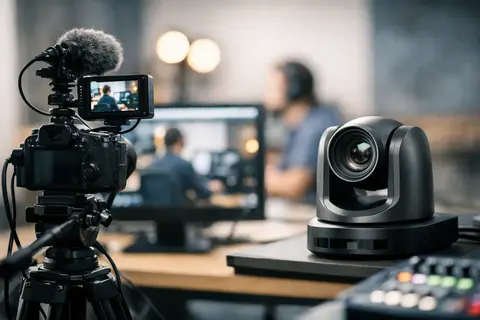
A live stream very quickly reveals a technical setup’s weak points. If a camera performs poorly in low light, if autofocus hunts for a face instead of keeping it in frame, or if the connection to a computer creates unnecessary complications, it becomes visible immediately. That is why the question of how to choose a camera for live streams is not only about image quality, but also about reliable performance in the specific usage scenario.
Many buyers start with resolution, but in practice it is rarely the first selection criterion. It is much more important to understand where the broadcast will take place, how long it will last, whether you will connect the camera directly to a computer or use a video receiver, and whether there will be one person in frame or dynamic movement. These factors determine whether a compact mirrorless camera, a PTZ solution, a camcorder, or even a simpler USB-connected solution is more suitable.
In brief
- Choose a camera based on the use case, not the maximum resolution.
- Make sure to check the connection types (clean HDMI, USB-C, SDI/NDI) and continuous power for long broadcasts.
- Evaluate autofocus reliability, overheating risk, and lens suitability for the specific space.
- Balance the budget between the camera, lens, lighting, and audio — often a better combination delivers better results.
- Consider renting if you only need the solution temporarily or want to test options before buying.
What to choose for different tasks
| Task | Solution | Why |
|---|---|---|
| Individual live streams (courses, podcasts, interviews) | Mirrorless camera with clean HDMI output, reliable face/eye autofocus, and flexible lens selection. | Provides good image quality, a more natural background, and the ability to change the framing as needed without a complex setup. |
| Conference rooms and auditoriums (remote control, multi-camera integration) | PTZ video camera with clean output and remote control capabilities. | PTZ cameras let you control framing from a distance, save positions, and easily integrate into a multi-camera system. |
| Sports and long event broadcasts | Pro video camera or professional videokamera with continuous power and convenient zoom. | In these scenarios, long operation without overheating, stable zoom, and operator ergonomics are important. |
| Simple one-person live streams or fast production | USB-C supported camera or a simple USB webcam with a good audio solution. | Reduces the need for additional receivers and mixers, making setup quick and simple for a single operator. |
| Test or one-time needs before buying | Rent a full kit (camera, lens, lighting, audio) for an event or period. | Allows you to practically test the solution in a real workflow and reduce the risk of buying the wrong equipment. |
How to choose a camera for live streams based on the usage scenario
If you create live streams individually - for courses, podcasts, interviews, or company communication - the optimal solution is most often a mirrorless camera with clean HDMI output, reliable autofocus, and the ability to run for long periods. Such a setup provides good image quality, a more natural background, and flexibility in lens selection.
If you need a solution for a conference room, church, auditorium, or event space, remote operation and framing control become important. In such cases, PTZ cameras are often more practical than a classic photo camera because they can be controlled from a distance, store positions, and integrate conveniently into a multi-camera system.
If you stream sports, stage events, or other long events where the camera operates for hours, camcorders have the advantage. They often offer more predictable ergonomics, continuous power, convenient zooming, and fewer compromises for long-term use. A photo camera in such a situation may deliver a more beautiful image, but it may require more careful system preparation.
That is precisely why a good purchase is not always the universally “best camera.” A good purchase is a camera that does not create problems in your workflow.
Image quality - what is really worth evaluating
Sensor size still matters. A full-frame camera usually offers better low-light performance and a stronger background blur, but it is not an automatic necessity for every live stream. In many company, educational, or studio scenarios, a APS-C or Micro Four Thirds camera will be perfectly sufficient, especially if the room has controlled lighting.
In terms of resolution, Full HD is still enough for most live streams. Even if the camera records in 4K, the streaming platform and internet speed do not always allow you to fully benefit from that advantage. 4K is valuable if you plan to crop the frame, use one camera for multiple digital shot sizes, or also create a recording after the broadcast. If your goal is a stable and simple live stream, Full HD is often more practical.
It is also important to evaluate color reproduction and dynamic range, but they should not be emphasized above the basics. Beautiful colors will not help much if the image occasionally goes out of focus or the camera overheats. In live streaming, reliability is just as important as image aesthetics.
Autofocus, overheating, and operating time
A live-stream camera must be able to operate predictably. That is why autofocus quality is one of the main criteria. If there is a presenter in the frame, look for a camera with reliable face and eye detection. If there is movement in the frame, focus stability becomes important, not just quick initial focusing.
Overheating risk is another often underestimated factor. Some cameras work well in short video modes, but in prolonged HDMI output or 4K operation they can reach temperature limits. This is especially relevant in warm rooms, at events, and during long broadcasts. Before choosing, you should look not only at the manufacturer’s specifications but also at the actual use case - one hour in a studio is not the same as a four-hour event without a break.
For long-term operation, continuous power is essential. If a camera relies only on a standard battery, it creates unnecessary risk during a live stream. It is more practical to use models with USB-C power delivery or adapters for continuous power. This is also where the difference between a camera that is good for filming and one that is suitable for live streaming often becomes apparent.
Connections determine how easily the camera fits into the system
To understand how to choose a camera for live streams, you should always look at outputs and compatibility with the rest of the equipment. If you plan to connect the camera to a video receiver or mixer, you will most often need clean HDMI output without menus and status information in the frame. If the camera does not offer such output, it immediately becomes less useful in a more professional system.
USB streaming is convenient for smaller workflows because it reduces the amount of additional equipment. However, not all USB live-streaming options are the same. For some models it will be simple and stable, for others it will be limited in resolution, frame rate, or latency. Therefore, “works via USB” does not automatically mean it will be suitable for long-term or commercial work.
If you are building a more complex system, SDI, LAN, or NDI workflows may also matter. These solutions are more common in professional environments, where longer cable runs, more stable signal transmission, and integration of multiple sources are important. In such cases, camera choice is closely linked to the entire live-stream infrastructure, not just the camera itself.
The lens is part of the result, not an accessory
The advantage of mirrorless cameras is the ability to choose a lens according to the room and framing. In a small studio, a wider focal length is often needed, while interviews or product demonstrations may benefit from a more versatile standard zoom lens. If there is little light in the room, lens aperture is very important.
However, compromises must be considered. A very bright lens will help in low light and give an aesthetic background, but it will also narrow the depth of field. In live streaming, that can cause problems if the speaker moves forward and backward. Sometimes a slightly more closed aperture gives a safer result than a maximally blurred background.
A fixed focal-length lens can deliver high image quality, but a zoom lens is often more practical. It is a typical example where the technically “best” option does not always match the most operationally convenient one.
Sound and light affect the result more than expected
Many people focus on the camera, although viewers most often notice mistakes in sound and lighting. If the voice is hard to hear, even a very good image will not save the live stream. That is why it is worth evaluating whether the camera has a microphone input, a headphone output for monitoring, and how easily it can be integrated with an external audio system.
Lighting also significantly changes the camera’s requirements. A well-lit room allows a professional result with a much wider range of cameras. In a dark room, even a more expensive camera will not fully compensate for poor lighting. If the budget is limited, it is often smarter to balance the investment between the camera, lens, light, and audio rather than allocate everything to just one body.
Budget - buy or rent
If live streams happen regularly, a purchase is usually economically justified. But if you need a solution for one event, a seasonal conference, or a specific client project, rental is often more rational. This especially applies to more expensive cameras, PTZ systems, video mixers, and accessories that you will not use daily.
The risk aspect is also important here. If you are not sure which camera type will fit your workflow, short-term rental lets you test the solution in practice before buying. For Master Foto audiences, this is often one of the most sensible paths - first understand the real need, then invest in equipment with greater confidence.
The most common mistakes when choosing a camera for live streams
The most common mistake is choosing a camera based on advertising rather than on connectivity and the workflow scenario. The second mistake is an excessive focus on 4K, ignoring overheating, power, and autofocus. The third is the assumption that the camera alone will provide a professional result without proper light, audio, and a stable signal chain.
Another practical mistake is an overly complicated system. If one person is handling the live stream, a simpler and more reliable setup is often better than a technically impressive but hard-to-operate configuration. A professional solution is not necessarily the most complex one. A professional solution is the one that works predictably.
How to make the right decision
A good starting point is to answer four questions: how long will the live stream last, how large is the space, will the camera need to follow a person, and what type of connection will be used. If you have clear answers to these questions, choosing a camera becomes much easier.
If image quality and flexibility are the priority, look at mirrorless cameras with good autofocus and clean HDMI. If remote control and a multi-camera system are needed, evaluate the PTZ segment. If you need to work for long periods and stably in event mode, consider a camcorder. And if you still have doubts, the safest path is to consult, compare, and, if possible, test the solution in a real work situation.
The right camera for live streaming is not the one with the most specifications. The right camera is the one that you or your team can reliably turn on, connect, and use without unpleasant surprises exactly when the broadcast has already started.
Frequently asked questions
Is 4K always the better choice for live streams?
Not necessarily. In many cases Full HD is the more practical solution, because streaming platforms and internet speed can limit the use of 4K. 4K makes sense if you plan to crop the frame later or want more detail in the recording.
How can you make sure the camera does not overheat during a long live stream?
Check whether the camera can provide HDMI output continuously without limitations in the manufacturer's specifications and user reviews. Practical solutions are to use continuous power (USB-C or an AC adapter) and test the camera in real working conditions before an important event.
How important is autofocus for live streams?
Autofocus is one of the main criteria, especially if the speaker moves or there is dynamic action in the frame. Look for cameras with stable face and eye detection, but remember that sometimes fixed focus with a good frame can be more reliable.
When is it better to use a USB vs HDMI connection?
USB is convenient for smaller and simpler streams because it reduces the need for additional equipment. HDMI (or SDI/NDI) is usually better for professional systems because it provides a clean video signal, broader integration options, and often higher stability.
How do you choose a lens for live streams in a small studio?
In a small studio, a wider focal length is more often useful, while for interviews a standard zoom lens may be more convenient. If the room has little light, consider the lens aperture, but to ensure a sufficient depth of field you may need to stop down the aperture.
Is it better to buy or rent equipment for live streams?
If live streams happen regularly, buying is usually more cost-effective in the long term. However, for short-term projects or if you are not sure about the required solution, renting lets you test the equipment without a large investment.
Useful links
- Kameras — choice basics for live streams - Link to the camera category so readers can browse mirrorless and other bodies based on the criteria mentioned in the article.
- PTZ video cameras — remote control and automation - PTZ solutions are especially suitable for conferences and large rooms, which the article mentions as a separate scenario.
- Pro video cameras — for long and professional filming - Pro video cameras are suitable for filming sports and long events, where continuous operation and ergonomics are important.
- Video mixers — integration of multiple sources - In the multi-camera systems mentioned in the article, video mixers are an essential element for combining and switching signals.
- Continuous lighting — better live streams with proper illumination - Proper lighting often delivers a greater quality improvement than changing only the camera, which is emphasized in the article.
- Video lighting rental — short-term solution for events - Renting lets you try professional lighting without the risk of buying, which is important for one-time events.
- Lenses — choose by room and frame - Lens choice for live streams significantly affects framing and performance in enclosed spaces, a topic discussed in the article.
- Rental — an alternative to buying for live streams - The article recommends renting if the solution is only needed temporarily or if you want to test the equipment before buying.