
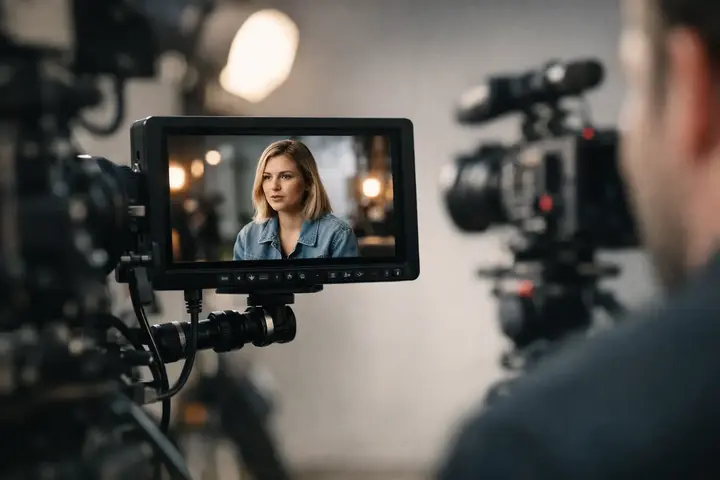
Once the camera has already been chosen, it becomes clear that its built-in screen is not always enough. That is exactly when the question of how to choose a video monitor becomes practical rather than theoretical. Focusing, exposure control, framing, and working as a team are often much easier if you can see the image on a larger, brighter, and functionally more precise screen.
A video monitor is not just a larger display for the camera image. Depending on the model, it can help with focus assist tools, waveform, false color, LUT preview, anamorphic image correction, and signal transmission to another device. That is why the right choice starts not with the brand, but with the filming scenario.
In brief
- Choose the monitor size according to the job: 5–6" for mobile use, 7" for team work or static setups.
- Prioritize brightness (nits) if you shoot outdoors; screen quality is often more important than maximum resolution.
- Check the connections: HDMI is convenient for hobby use, SDI for professional integration and longer cable runs.
- Evaluate the importance of built-in tools: focus peaking, waveform, false color, and LUT support improve workflow quality.
- Think about power, weight, and mounting — battery compatibility and a lightweight body significantly affect day-to-day convenience.
What to choose for different tasks
| Task | Solution | Why |
|---|---|---|
| Solo vlogger and gimbal operation | A compact 5–6 inch HDMI monitor with a lightweight body and a battery format used by your camera as well. | Lower weight and a compact size will not upset gimbal balance and will provide the necessary focus and exposure tools. |
| Small team on set (client, director) | A 7-inch monitor with loop out and better brightness so more people can comfortably view framing. | A larger screen improves communication within the team and helps the client understand the visual direction without extra viewing points. |
| Studio or directing color-critical work | A professional monitor with an accurate panel, wide color gamut coverage, and calibration options; consider a monitor with SDI. | Color accuracy and the ability to calibrate the monitor reduce mismatches between field preview and post-production. |
| Outdoor shooting in sunny conditions | A high-brightness monitor (high nit count) or a medium-brightness monitor with a quality sunshade. | Without sufficient brightness, the image becomes hard to see, which affects focusing and exposure evaluation. |
| Need to record higher-quality external files | A monitor-recorder with an appropriate external recording format (e.g., ProRes/DNx) and strong power delivery. | Monitor-recorders provide better codec/bitrate options and expand the workflow in post-production when the camera's internal recording is limited. |
| Long sessions with many devices | A monitor with loop out/pass-through and SDI connections, a sturdy body, and the option to connect external power. | Loop out and SDI make signal distribution and reliable connections easier in a professional setup without extra adapters. |
How to choose a video monitor based on your type of work
If you film alone, the priorities will be different than for a small crew or studio work. For a solo operator, the most important things are usually compact size, low weight, simple mounting on the camera, and quick access to exposure and focus tools. In that case, a 5 to 6 inch monitor is often enough, as it does not overload the rig system and does not make the camera awkward to use on a gimbal.
If you work on interviews, advertising projects, or with a client present on location, a 7 inch monitor may be more convenient. It provides better visibility and makes it easier to assess details in the frame. However, it is larger, heavier, and requires more carefully considered mounting and power supply.
For studio or directing needs, the requirements change again. In those cases, mobility is often less important than more precise image evaluation, multiple input formats, reliable signal processing, and easier integration with other equipment. This is the case where a “good monitor” does not mean one universal model for everyone.
Screen size and resolution
The first parameter most people look at is the number of inches. That is understandable, but size alone says very little. What matters is how you will use the monitor. On-camera or on a gimbal, a screen that is too large becomes an obstacle. In a static setup, on the other hand, too small a display can make it harder to work with focus and fine details.
The 5 inch class is often a good starting point for hybrid use. It is suitable for vlogs, reportage, wedding filming, and mobile work. The 7 inch class is more suited to situations where a more comfortable view is needed, or when a director, client, or assistant regularly watches the image as well.
Resolution is important, but in practice screen quality is even more important. A Full HD monitor is often completely sufficient for field work if it has good sharpness rendering, correct contrast, and reliable tools. Higher resolution sounds attractive, but it does not always provide as much benefit as the specification suggests. Especially on smaller screens, the difference may be less important than brightness or interface convenience.
Brightness is more critical than many other parameters
If you plan to film outdoors, monitor brightness is one of the most important selection criteria. A monitor that is sufficient indoors may seem excellent, but on a sunny day it can become almost unusable. That is why the nit value is not just a marketing number.
For moderate work indoors and in controlled light, lower brightness may be enough. If you regularly film outdoors, it is worth looking at much brighter models. Otherwise, you will have to rely on sun hoods or look for shade, which is not always realistically possible.
Here is one practical compromise. Very bright monitors are usually more expensive and consume more power. If outdoor filming is only occasional for you, it may be more cost-effective to choose a balanced model and supplement it with a suitable sun hood. If outdoor work is part of your daily routine, this economy quickly becomes inconvenient.
HDMI, SDI, and signal flow
Before buying, you should check what outputs your camera has and how you plan to integrate the monitor into the rest of the system. For many hybrid camera users, HDMI is enough. It is common, accessible, and practical for smaller setups. However, HDMI connections are usually mechanically more fragile, and in intensive rig work or client projects, they can be less reliable.
SDI is more common in professional video equipment. It provides a more stable connection, longer cable runs, and easier integration in many workflows. If you are currently filming with an HDMI camera but plan to move toward more complex projects, it is worth looking a little ahead when choosing a monitor.
Loop out, or signal pass-through to another monitor, transmitter, or recorder, is also important. If you work as part of a team, this feature quickly becomes useful. If you film alone, it may seem unnecessary at first, but later it can expand the system’s possibilities without buying a new monitor.
Which features really help in filming
A good video monitor is valuable not only for its screen size. The built-in work tools matter a lot. Focus peaking, zebra, and histogram are already the basic minimum for many. If you film in a log profile or want more precise exposure control, false color and waveform become very useful.
LUT support is especially important for those who film a flat image and want a more understandable preview on location. It does not alter the recorded file, but it helps the operator, client, and crew understand the final direction. Here, however, you should check how convenient the LUT loading and management is, because it is not equally well thought out in all models.
Another aspect is touch control and menu logic. In the specification table this may seem unimportant, but in everyday use a bad interface is more irritating than slightly lower resolution. If the monitor has to be adjusted quickly and often, ease of use becomes a real productivity issue.
Color accuracy and what to expect from it
Many buyers hope that an external monitor will immediately solve color evaluation. That is partly true, but you need to be realistic. A field monitor is primarily a working tool for framing, focus, and exposure. It does not always replace a calibrated directing or post-production monitor.
If your work involves commercial video, product filming, or situations where the client needs to see a reasonably accurate image on site, color reproduction matters more. In that case, attention should be paid to panel quality, color space coverage, and calibration options. But if the main task is to reliably focus and expose documentary or event material correctly, other functions may be a higher priority.
Power, weight, and mounting
A monitor that looks ideal on paper can become inconvenient in practice if its power supply is not well considered. You should check what batteries it uses, how long they last, and whether that format is already used in your existing equipment set. A unified battery standard across the monitor, lights, and other devices can be very practical.
If you film on a gimbal or a small camera rig, every extra gram is noticeable. A heavier monitor means not only a greater load on your hands, but also more difficult balancing. It may require a stronger mount and more frequent adjustment of the setup.
You should also pay attention to mounting points, housing durability, and the placement of connectors. Cables exiting at an awkward angle can interfere with movement or put stress on the ports. These are details that become important not in the store, but on the first long filming day.
When a monitor is enough and when you need a monitor-recorder
Not everyone needs recording functionality. If the camera already provides the required codec, bit depth, and recording format, an external monitor without recording is often a more logical and economical choice. It will be simpler, lighter, and usually more affordable.
Monitor-recorders become relevant when specific external recording formats, longer recording times, or a better workflow for post-production are needed. This can be useful for commercial projects, interviews, or situations where the client’s requirements already exceed the base camera’s capabilities. At the same time, such a solution means higher costs, greater power consumption, and a more complex setup.
A practical approach to the buying decision
If you are wondering how to choose a video monitor without overpaying, the safest way is to start with three questions. Where do you film most often - indoors or outdoors? Do you work alone or with a team? And will the monitor be on the camera, on a gimbal, or on a static rig? These answers quickly narrow down the options.
For entry-level and mid-level users, a compact, bright HDMI monitor with good focus and exposure tools is often enough. In a more professional environment, SDI, signal pass-through, more reliable build quality, and broader monitoring functions play a bigger role. If you are unsure whether a specific model will suit your camera and workflow, it is worth testing the choice in practice or consulting a specialist, as also offered by Master Foto.
The right video monitor will not automatically make the shot better, but it very often reduces the number of mistakes and speeds up the work. And on a filming day, that is usually much more valuable than yet another impressive line in the specifications.
Frequently asked questions
How important is monitor brightness (nits), and what value should I choose?
Brightness is critical if you shoot outdoors; without enough nits, the screen can become unusable in sunlight. If outdoor shooting is regular, choose a monitor with a high nit value; for occasional outdoor shooting, medium brightness and a sunshade may be enough.
Should my monitor be SDI, or is HDMI enough?
HDMI is often completely sufficient for hobby use and many field situations because it is accessible and simple. SDI is the better choice in professional environments where longer cable runs, a more stable connection, and integration with studio equipment are needed.
When is LUT support in a field monitor necessary?
LUT support is especially useful if you shoot in a flat (log) profile and want to see an immediate visual idea of the final look on location. It does not affect the recorded file, but it improves communication with clients and the team because it shows a more understandable color and contrast interpretation.
Is a monitor-recorder always better than a regular monitor?
Not always; if your camera already records in the required codec and bitrate, external recording may be unnecessary extra weight and complexity. Monitor-recorders become worthwhile when you need special formats, longer recording, or files with higher bit depth.
How should I handle power and battery compatibility?
Make sure the monitor's battery format is compatible with your existing gear or plan a universal solution with external power. Battery consistency between the camera, monitor, and lights reduces the need for different batteries and spare sets.
How important are mounting and body durability?
Mounting, port placement, and body durability directly affect ease of use and component safety. Poorly placed ports or a heavy monitor can cause problems on a gimbal, damage ports, or make balancing difficult.
Useful links
- LCD monitors for filming - A category with various field and studio monitors, useful for comparing sizes, brightness, and features.
- SmallRig wireless video monitor (Vlog Kit) - An example of a compact wireless monitor solution for vlogs and mobile filming, demonstrating the trade-off between lightness and features.
- Video filming equipment - A broader section on equipment where you can also find additional accessories and solutions for monitor integration.
- Video cables, wires - A place to choose suitable HDMI and SDI cables, connection adapters, and loop out solutions.