
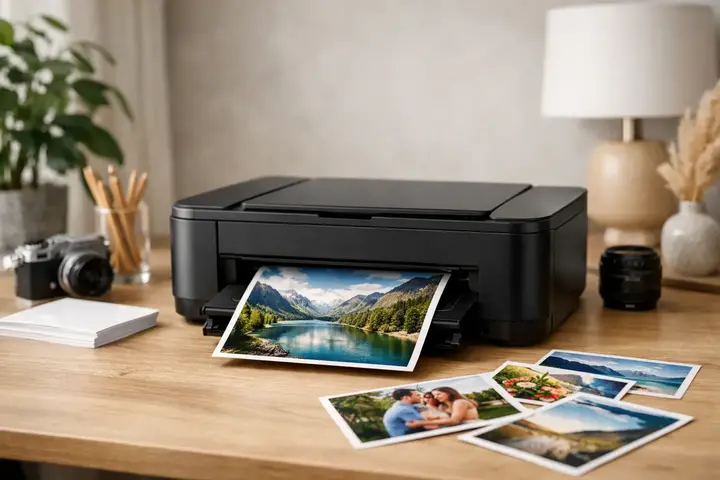
If you want your photos to stay not only on your phone or computer, a photo printer for printing pictures at home is one of the most practical investments. It is especially useful if you print regularly, want to control the result, and do not want to adjust every time to the deadlines, formats, or paper choices of a photo service provider.
There is no single universally correct printer for home photo printing. The choice depends on exactly what you will print - family photos for albums, small prints for gifts, portfolio samples for clients, or higher-quality works for framing. This is where not only price matters, but also print technology, ink system, paper format, and maintenance costs.
In brief
- Choose the technology based on use: an inkjet printer offers flexibility and larger formats; dye-sublimation offers simplicity and predictability for small prints.
- Evaluate running costs (inks/ribbons and paper), not just the initial price.
- Make sure to check paper compatibility and the maximum format (10x15 vs A4/A3) before buying.
- If you print rarely, compact dye-sublimation reduces the risk of ink drying; for regular printing, choose an ink solution with a convenient ink system.
- Check connectivity (Wi‑Fi, software, color management) according to which device you will print from.
What to choose for different tasks
| Task | Solution | Why |
|---|---|---|
| Family photos, infrequent printing | Compact dye-sublimation printer or a small inkjet model with easy maintenance | Dye-sublimation provides fast, predictable prints without ink nozzle clogging; if using an inkjet printer, choose a model with low-maintenance requirements. |
| Hobby and album making (frequent printing) | Inkjet photo printer with a multi-color ink system (at least 6 colors) and A4 format support | An ink solution lets you print on different papers and formats, and provides better color reproduction and gradations. |
| Portfolio or semi-professional use | Specialized inkjet photo printer with precise color management and support for thicker fine-art papers | Repeatable quality, the ability to work with RAW, and precise color calibration matter more than a low initial price. |
| Fast printing at events or while traveling | Portable dye-sublimation printer with predictable print quality | Easy operation, quick readiness, and stable colors in a smaller format make this solution practical outside the home. |
What type of user is a photo printer for printing pictures at home intended for
If you only need to print photos at home a few times a year, the cheapest solution will not always be your own printer. But if you print pictures regularly, create albums, work with client selections, or simply want a quick result without intermediaries, your own printer becomes justified.
For a hobby user, the most important things are usually ease of use, available formats, and reasonable cost per image. For an enthusiast or professional, color accuracy, black-and-white tonal transitions, paper compatibility, and the ability to print in larger formats become crucial. If you plan to print not only 10 x 15 cm but also A4 or A3, the range of models narrows and the requirements for the printer become more specific.
Main print technologies and their differences
When choosing a printer, first you need to understand which technology you are looking for. For home photo printing, inkjet printers and compact dye-sublimation printers are most often relevant.
Inkjet photo printers
Inkjet printers are the most flexible option if you want more control over the result. They allow printing in different formats, using a wider selection of photo paper, and usually offer better detail, especially if the model has more ink colors. A four-color system will be sufficient for everyday needs, but six-, eight-, or more-color systems provide finer transitions and more accurate skin tone reproduction.
However, maintenance should be considered. If you use the printer rarely, the nozzles can dry out, which means additional cleaning cycles and ink consumption. Therefore, an inkjet printer is more suitable for a user who prints relatively regularly, not once every six months.
Dye-sublimation printers
Compact dye-sublimation printers are often a good solution for those who want a simple and predictable result in standard sizes. They are convenient for family photos, event prints, and quick use at home or on the go. Colors are usually stable, the surface looks even, and there is no typical risk of ink drying out.
The limitation is format and flexibility. These printers are usually designed for small prints, and the choice of paper or materials will be narrower. If you want the ability to experiment with different papers or print larger works, an inkjet solution will be more suitable.
What to look at in the specifications, not just the price
A cheap printer does not always mean cheap photo printing. Often, attention is paid to the device price at the time of purchase, but in the long run, operating costs and result stability are more important.
Print resolution is one parameter, but it should not be judged separately from the rest. A high dpi number alone does not guarantee better photo quality. Much more important are print head precision, ink droplet size, number of colors, and the printer’s ability to work evenly with a specific paper.
The maximum paper format is also important. If you currently print only 10 x 15 cm, that does not mean that in a year you will not want A4 or A3 prints. It is worth thinking ahead here, because replacing the printer later often costs more than making the right choice at the start.
Connectivity is a practical issue that is often underestimated. Wi-Fi printing from a phone is convenient in everyday life, but if you work with processed files from a computer, stable software and accurate color management will be more important. In the enthusiast and professional segment, this is essential.
Photo printer for printing pictures at home and paper choice
Even a good printer will not produce a convincing result on unsuitable paper. It is the paper that largely determines how contrast, color depth, and surface feel will look. Therefore, photo printing should not be considered separately from the material.
Glossy paper often enhances bright colors and contrast, which is why it is popular for everyday family photo printing. Semi-matte or luster-type paper is often a more balanced option because it reflects less and preserves good tonal depth. Matte paper is suitable for certain styles, especially calmer color palettes or more artistic prints, but the image may look less contrasty on it.
If you plan to print more seriously, it is worth making sure that the printer handles different paper thicknesses correctly and that it has a straight paper path for thicker materials. This is especially important in the fine art segment and for portfolio prints.
How much one print costs
This is a question almost everyone asks, and rightly so. The cost of a single photo is made up of ink or ribbon consumption, paper price, and to some extent maintenance as well. If the printer sits idle and regularly cleans the head, some of the ink goes not to the image, but to maintenance.
For everyday users, a model with a more economical ink system is often more advantageous, even if the initial investment is higher. For those who print little and irregularly, it may be more useful to look at more compact solutions with predictable cost per print. There is no single correct scenario here - everything depends on print volume and frequency.
When a compact printer is enough and when you need a more serious model
If your need is to quickly print vacation pictures, family event photos, or small snapshots, a compact printer will be the logical choice. It takes up little space, is easy to use, and does not require many settings.
If photography is your hobby with higher requirements or part of your work process, the situation changes. Then the ability to print from RAW-processed files, reliably predict color results, work with multiple paper types, and achieve repeatable quality becomes important. In this case, the printer is not just household equipment, but a work tool.
That is exactly why, before buying, it is worth honestly answering whether you are looking for convenience, lower long-term cost per print, or higher quality. One model rarely solves all three points excellently at once.
The most common mistakes when choosing a printer for home photo printing
A typical mistake is buying a universal office printer in the hope that it will also print photos well. In some cases, the result will be acceptable for everyday needs, but not if you care about nuances, transitions, and a durable visual result. A model designed for photo printing is still a different class here.
Another mistake is ignoring operating costs. If the ink set is expensive or hard to find, an initially cheap device quickly becomes unprofitable. In Latvia, the practical side is especially important - available materials, a clear warranty, and the ability to get advice if you need to understand the differences between models.
The third mistake is focusing too much on technical numbers without a real usage scenario. If you do not print A3, there is no point in overpaying just for that option. If you know that you will print from a phone and simplicity is your priority, a complex semi-professional model may create more inconvenience than benefit.
How to make the right decision
In practice, the choice can be narrowed down with three questions. How often will you print, in what format will you print, and how critical is color accuracy. If the answers are “often,” “A4 or larger format,” and “very important,” look at more specialized inkjet photo printers. If the answers are “sometimes,” “small formats,” and “convenience is the main thing,” a compact printer may be more suitable.
If you are not sure, it is worth looking not only at the device, but at the whole system around it - ink availability, paper range, manufacturer support, and whether the specific model matches your work or hobby flow. This approach helps avoid a purchase that looks good on paper but is not used in practice.
Home photo printing is valuable when it truly becomes part of your daily life or creative process. A good printer not only prints an image, but lets you keep control over the result, pace, and quality - and that is often more important than the device itself.
Frequently asked questions
Which technology should I choose — inkjet or dye-sublimation?
If you want flexibility in formats and papers (A4/A3 or fine-art), an inkjet photo printer is the better choice. If your priority is getting fast, predictable results in smaller sizes and simple operation, a dye-sublimation printer will be more convenient.
How important is the dpi number in the specifications?
DPI by itself is not the most meaningful quality indicator — ink droplet size, printhead precision, and the number of colors are more important. Paper type and the printer's ability to lay down ink or ribbon evenly also play a major role.
How do I calculate the cost per print?
The total cost includes ink or ribbon consumption, paper price, and part of the maintenance. If the printer is cleaned often or used rarely, maintenance and wasted ink can be a significant part of the cost.
How do I choose the right photo paper?
Choose paper based on the desired surface — glossy enhances colors and contrast, semi-matte/luster reduces glare, while matte is better for more artistic prints. Check whether your printer accepts the specific thickness and type, especially if you print on heavier fine-art paper.
Is Wi‑Fi printing a safe solution for photo prints?
Wi‑Fi is a convenient solution for everyday printing from a phone or tablet, but for more professional color management it is better to print from computer software. Make sure the software supports color profiles and a stable connection.
How can I prevent ink nozzles from drying out?
Regular use reduces the risk of drying; if you print rarely, consider a compact dye-sublimation printer or perform periodic test prints and head cleaning. When choosing an inkjet printer, look for models with automatic cleaning modes and accessible cleaning procedures.
Useful links
- Printers and accessories - A broad category to browse ink and photo printer models, suitable for starting to compare specifications.
- Photo paper - It is important to choose the right photo paper according to the desired surface (glossy, semi-matte, matte) and thickness.
- Photopaper for printers - A category with paper specifically for printers — useful for checking compatibility with your chosen device and paper thickness.
- Canon PIXMA PRO-200S A3+ format printer - An example of a specialized A3 inkjet photo printer that illustrates the choice when larger format and color accuracy are needed.