
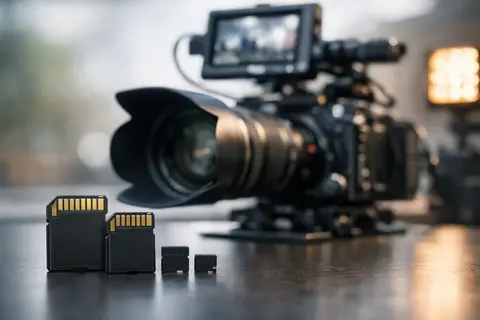
4K mode can work flawlessly in the studio and suddenly stop in the middle of an interview for only one reason - the memory card cannot continuously accept the data stream created by the camera. That is why the best SD cards for 4K filming are not simply cards with a large capacity or a high maximum speed stated on the packaging. They must match the specific camera codec, bitrate, recording duration, and operating conditions.
When choosing a card for a photo camera, hybrid camera, camcorder, or drone, the most important indicator is the guaranteed continuous write speed. It determines whether the recording will be stable in a longer take, not just for a few seconds after pressing the REC button. A correctly chosen card reduces the risk of interrupted recording, frame loss, and corrupted footage.
In brief
- Choose an SD card based on the guaranteed minimum write speed (V class), not just the maximum read speed.
- V30 is usually enough for 4K 24–30p, V60 is a safer choice for 4K 50/60p or 10bit recording, and V90 is for professional ALL‑I and very high bitrates.
- Make sure the card is compatible with the camera (UHS‑I vs UHS‑II) and format the card in the camera before important shoots.
- Choose the capacity according to one shooting session (128 GB is often a good starting point) and use multiple cards or backups for important projects.
- Use UHS‑II and a suitable card reader if you need fast file transfer to a computer.
What to choose for different tasks
| Task | Solution | Why |
|---|---|---|
| 4K 24p / 25p / 30p with a moderate bitrate | V30 SD card, 64–128 GB | V30 guarantees at least 30 MB/s write speed, which is usually enough for standard 4K modes and offers a good price/performance ratio. |
| 4K 50p or 60p, 10bit 4:2:2 or higher bitrate | V60 SD card, 128 GB or more | V60 provides a larger safety margin against buffer filling during long recordings or faster bitrate recording. |
| Professional ALL‑I intraframe recording or very high bitrates | V90 SD card, 256 GB or more | V90 provides the highest minimum continuous write speed required by some professional modes; the choice should be based on the camera's requirements. |
| Drone or compact 4K modes | Usually V30, check the manufacturer's recommendations | Many drones and compact cameras are optimized to work with V30, but you should review the requirements of the specific model to avoid recording interruptions. |
| Fast data transfer to a computer after filming | UHS‑II card together with a UHS‑II card reader | UHS‑II provides significantly faster read speed for real-world workflows, reducing the time needed to copy large files. |
What the card speed markings mean for 4K video recording
An SD card usually shows several symbols: C10, U1 or U3, V30, V60 or V90, as well as UHS-I or UHS-II. These are not interchangeable designations, and this is where confusion often arises.
Speed Class 10, or C10 indicates a minimum write speed of 10 MB/s. This is a basic level that may be sufficient for photos or simple Full HD, but for 4K filming it is not enough as a selection criterion.
UHS Speed Class uses a number inside the letter U. U1 guarantees at least 10 MB/s, while U3 guarantees at least 30 MB/s. U3 is still relevant and fully suitable for many cameras for 4K recording, but in video work the more precise guide is Video Speed Class.
Video Speed Class markings V30, V60, and V90 directly indicate the guaranteed minimum sequential write speed: 30, 60, and 90 MB/s respectively. This is the most practically important symbol if the card is being purchased specifically for filming. V30 is usually intended for standard 4K modes, V60 is a safer choice for more demanding 4K and high frame rate modes, while V90 is required for certain professional cameras, especially when very high bitrates or ALL-I codecs are used.
Meanwhile, UHS-I and UHS-II indicate the card's data bus type. UHS-II cards have a second row of contacts and significantly higher theoretical transfer speed. This is valuable not only for recording, but also when transferring large video files to a computer. However, a camera with a UHS-I slot will not use the full potential of a UHS-II card. The card will usually work, but the speed will be limited by the camera slot.
The best SD cards for 4K filming start with the camera specifications
Before choosing a brand, capacity, or the fastest available model, you should open the camera manual or check the manufacturer's listed memory card compatibility. Different 4K modes in the same camera may place different demands.
For example, 4K 25p with H.264 or H.265 Long GOP compression often works with a quality V30 card. Meanwhile, 4K 50p or 60p, 10-bit 4:2:2 recording, ALL-I codec, or a high bitrate may require a V60 card. Certain professional modes, such as high-quality 4K intraframe recording, may require V90. If the card does not meet the requirement, the camera may not allow the selected mode to be activated or may stop recording once the buffer is full.
Bitrate can be conveniently converted into an approximate required write speed. If the camera records at 200 Mb/s, that means about 25 MB/s, because one byte contains eight bits. In this case, a V30 card theoretically fits, but the safety margin is not large. In long recordings, under card heating conditions and in real-world data flow fluctuations, V60 may be the better choice. The camera may also record in variable bitrate mode, so you should not rely only on the average number.
When V30 is enough and when to choose V60 or V90
The V30 class is a rational choice for content creators who film 4K at 24p, 25p, or 30p with a moderate bitrate, make shorter clips, interviews, travel videos, or material for social networks. It usually offers a good price, capacity, and performance ratio. Many drones and compact cameras in 4K mode also specifically require V30 cards.
A V60 card is more suitable if filming is a regular part of the work and the camera offers 4K 50p or 60p, 10-bit format, or a higher bitrate. It is a justified choice for wedding videographers, event filmmakers, and corporate content teams, where a broken take can mean irreplaceable footage. V60 also often provides faster burst shooting in hybrid cameras with high-resolution sensors.
V90 is not automatically the best card for every 4K project. It costs significantly more, and for cameras that record only data streams at the V30 level, the result will not be better simply because of the card. V90 should be chosen when it is directly required by the camera's specific recording mode or when maximum headroom is needed for professional work. In short, the card does not improve image quality, but it allows the camera to reliably use the chosen quality mode.
Capacity: how many GB are needed for a 4K project
A 64 GB card is a practical minimum for short shoots, but in professional work it is more often worth starting with 128 GB. At a 200 Mb/s bitrate, a 128 GB card can theoretically hold about 85 minutes of footage, but the available time will vary depending on the file system, actual bitrate, and the space reserved by the camera.
256 GB and larger cards are convenient for events, long interviews, conferences, and travel, when changing cards is undesirable. However, one very large card is not always the safest solution. If an error occurs on the card, the entire day's filming is at risk. Many videographers choose several 128 GB or 256 GB cards and swap them by shooting blocks. This makes it easier to organize the footage and reduces the impact of a single incident.
In a camera with two card slots, it is worth using simultaneous backup recording if the project is irreplaceable: a ceremony, a client interview, or a one-time event. In such a situation, both cards must meet the requirements of the selected video mode. A slower second card can limit the performance of the entire system.
Speed in the computer and speed in the camera are not the same
Manufacturers often highlight read speeds, such as 170 MB/s or 300 MB/s. This is useful when transferring files from the card to the computer, but it does not say enough about safe 4K recording. For filming, the more important factor is the minimum sustained write performance, which is confirmed by the V class marking.
A fast UHS-II card together with a suitable UHS-II card reader can significantly shorten data copying after filming. If several hundred gigabytes are shot in a day, this time difference is noticeable. However, UHS-II only makes sense if the camera supports it or the workflow regularly uses large data volumes.
Reliability, care, and error prevention
A video card should not be judged only by price. Preference should be given to cards from well-known manufacturers from a reliable specialized seller, because counterfeit cards with falsely stated capacity or speed are also found on the market. It is especially risky to use a card of unknown origin in a paid project.
Before important filming, format the card in the camera, not just by deleting files on the computer. Camera formatting prepares the file system for the specific device and reduces the chance of recording errors. After copying the footage, check that the files can be opened and create at least one backup before using the card again.
Never remove the card while the access indicator is lit, and do not fill it to the very last gigabyte if continuous recording is expected. Cards can heat up, especially in 4K 60p mode, in the sun, or during long shooting. If the camera reports overheating, the solution is not always a new card - you should also assess camera cooling, screen placement, ambient temperature, and the recording mode.
The choice does not have to be complicated: start with the V class required by the camera, then choose the capacity according to the length of one shooting block and check whether the UHS bus will provide a real benefit in your camera. If the specifications are in doubt, Master Foto specialists can help match the SD card to a specific camera and the planned shooting mode so that in the important moment your attention stays on the frame, not on the memory card warning.
Frequently asked questions
Is V30 always enough for 4K filming?
V30 is usually enough for 4K recording with a moderate bitrate (24–30p). However, if you are filming 50/60p, 10bit, or ALL‑I modes with a high bitrate, it is safer to choose V60 or V90, depending on the camera's requirements.
Why is the manufacturer's specified read speed not the main indicator for filming?
Read speed shows how quickly data can be read from the card to a computer, but for filming the more important factor is the minimum continuous write speed (V class). Insufficient write performance can cause buffer filling and recording interruptions, even if the read speed is high.
How do I determine how many GB to choose for a 4K project?
The choice depends on the bitrate and the planned length of the shooting block: 64 GB may be enough for short shoots, 128 GB is very often recommended as a starting point, while for events or long interviews 256 GB or more is more convenient. Also consider multiple cards and regular backups to reduce the risk of data loss.
Will a UHS‑II card work in a UHS‑I camera?
Yes — a UHS‑II card will usually work in a UHS‑I camera, but it will operate at the camera's UHS‑I speed limit. The UHS‑II advantage will be visible if you use a UHS‑II compatible camera or card reader for transfer to a computer.
How can I avoid fake or unreliable SD cards?
When buying, choose well-known retailers and specialized sellers, format the card in the camera before use, and after copying the material check whether the files open. If you suspect a card's performance, run tests that confirm the actual speed and capacity match the label.
What should I do if the card overheats or the camera reports an error during recording?
Check the recording mode and bitrate, reduce quality if necessary, ensure better camera ventilation, and avoid full card load. If the problem persists, move to a higher V class and make sure the card format and file system match the camera's requirements.
Useful links
- Memory cards - A wider selection and for comparing card specifications
- Video filming equipment - Check camera and recording equipment compatibility with cards
- Drones and action cameras - Get information about memory card requirements for drones and action cameras