
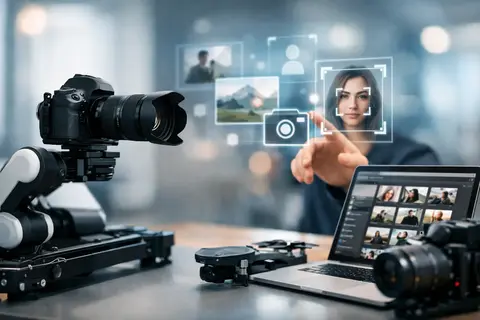
A wedding photographer can return after 12 hours of work with several thousand frames. An e-commerce team needs to photograph hundreds of products in a single day, while an event content creator must deliver images the very same evening. In these scenarios, the future of photography automation is not about the camera replacing the author. It is about reducing repetitive, time-consuming tasks - from focus acquisition to file transfer, selection, and initial processing.
Automation in photography has long since become more than an interval timer or automatic exposure. Modern cameras recognize people, animals, vehicles, and, in some models, even specific objects. Software can group similar frames, recognize subjects, suggest masks for local adjustments, and prepare files for a specific publishing format. But the quality of the final result is still determined by the photographer’s skill in planning light, choosing the moment, and making editorial decisions.
In brief
- Automation reduces time-consuming, repetitive tasks — focus, selection, initial processing, and file transfer.
- A connected workflow (camera + light + computer + software) speeds up image delivery, especially in e-commerce, events, and real estate.
- AI selection and local masks can greatly speed up work, but final quality still requires the photographer's review and editorial choice.
- Before making major investments, try the solution on rent and organize file naming, backups, and import processes.
- Implementing automation requires attention to compatibility, network stability, and data management — technology without workflow improvements will change little.
What to choose for different tasks
| Task | Solution | Why |
|---|---|---|
| E-commerce product photography | Standardized background/stand setup, batch shooting, and AI initial selection + export profiles | Repeatable shots and consistent lighting make it possible to automate selection and processing, reducing cost per image. |
| Wedding and event coverage | Cameras with strong AF subject/eye tracking, mobile file transfer, and quick AI filter setup for preselection | Fast initial selection speeds up delivery to the client or editorial team, but manual editing is still needed for emotionally important frames. |
| Studio catalog photography | Tethered shooting to a computer, predefined flash and light scenarios, consistent file naming | Direct tethering and pre-prepared settings reduce session time and archiving errors. |
| Real estate photography | Exposure bracketing, vertical correction, and ready-made export profiles for small width requirements | Standardized framing and blending speed up image preparation for listings and catalogs. |
| Video / hybrid content production for small teams | Automatic human/object tracking with a gimbal, vertical format creation, and quickly editable exports | Automation and stabilization allow one team to produce more material in different formats. |
| Individual photographer workflow optimization | Organized file naming, two backups, prepared import profiles, and lens correction profiles | Simple procedures often save more time than expensive AI systems without process management. |
How the future of photography automation will change the workflow
The biggest change will not be a single function in the camera, but a connected chain of work. The camera records precise metadata, a wireless connection delivers selected files to a computer or mobile device, the software offers an initial selection, and preset styles speed up processing and export settings. Such a workflow is especially valuable where images need to enter circulation quickly - in news work, sports, corporate events, real estate photography, and social media content production.
This does not mean that every project needs a maximally automated system. In an advertising campaign with carefully built studio lighting and a team of several people, work time is often invested precisely in nuances. Meanwhile, for a product catalog with a uniform background, a consistent camera position, and repeatable object placement, automation can significantly reduce the cost per image.
Autofocus becomes an active assistant
AI-based subject recognition has already changed the rhythm of reportage, sports, and wildlife photography. The camera can keep focus on an eye even if a person moves through the frame or is briefly obscured. The photographer can therefore focus more on composition, frame edges, and the development of the event.
However, AF automation is not absolute. A high-contrast foreground object, difficult lighting, smoke on stage, or several people in a tight group can cause the system to choose the wrong priority. In professional work, it is essential to quickly switch the focus area, use back-button focus, and understand the object-recognition limitations of a specific camera model. Automation is most useful when the user can take control of it.
Cameras, lights, and control in one system
In studio work, communication between cameras, flashes, continuous lights, and the computer will become increasingly important. Tethered shooting allows the client or art director to evaluate the frame immediately on a large screen. Predefined lighting scenarios speed up the transition between product groups, while color markers and file-naming conventions reduce errors in later archiving.
Here, automation also has a practical limit: the more complex the system, the more attention must be paid to compatibility, software versions, network stability, and backup solutions. In a project where every hour is expensive, it is not wise to test an unfamiliar wireless workflow for the first time on the day of filming or the photo shoot.
AI selection and processing: faster, but not without review
After shooting comes the part of the job that clients often do not see: copying files, creating backups, checking sharpness, comparing duplicates, color correction, retouching, and export. This is exactly where the benefit of automation can be greatest. Programs can already identify faces, suggest the best frames from a sequence, distinguish sharp files from blurry ones, and apply initial correction profiles.
Local masks for a person, skin, sky, background, or clothing speed up processing, especially in portraits and real estate images. AI-based noise reduction and image upscaling can also save files shot in low light. But these tools cannot automatically understand a brand’s visual language, the context of the situation, or which emotion the photographer considers the right one.
For example, in a wedding series, software may prefer the technically sharper portrait, but the photographer will choose a frame with closed eyes if it carries a stronger sense of relationship. In product images, AI may misinterpret material texture, lettering, or delicate edges. Therefore, automated selection should be the first filter, not the unquestionable final decision.
Where automation will deliver the greatest return
The greatest benefit usually comes from jobs with a repeatable process and a clearly defined outcome. In e-commerce photography, this can mean an identical object scale, background, lighting, and export size. In real estate - exposure bracketing, vertical correction, and a standard set of shots. At events - fast delivery of images to the editorial team or the client’s communications team.
An individual photographer can also save time by implementing simple, not expensive, automation. Consistent file naming, two backups, prepared import settings, and correction profiles matched to the lens often have a greater effect than randomly chosen AI software. The right sequence is to organize the process first and only then choose tools to accelerate it.
In video and hybrid content production, this trend will be even more visible. Automatic subject tracking with a gimbal, object recognition in the camera, automatic subtitle drafting, and rapid preparation of vertical formats help small teams produce more material. However, motion trajectory, frame storytelling, audio quality, and the character of the light remain the operator’s responsibility.
How to choose equipment for an automated workflow
When deciding whether to buy or rent, you should not look only at the camera’s megapixel count. For dynamic work, autofocus recognition capabilities, buffer capacity, burst shooting speed, memory card standard, battery life, and file transfer methods are important. For a studio, tethering options, flash synchronization, color management, and control of the lighting system matter.
If automation is intended for a large volume of files, the computer, data storage, and network should also be evaluated. High-resolution RAW files, especially with AI noise reduction, require more processor power, RAM, and archive space. A fast camera will not solve workflow problems if image copying or backup becomes the bottleneck.
Rental is a sensible way to test a workflow before making a long-term investment. For example, for sports or animal photography, you can try a camera with modern subject recognition and a suitable telephoto lens. For a studio team, tethered shooting, light control, and the file delivery process can be tested before a catalog project. Master Foto consultation and rental options in such cases help compare solutions in a real task, not just on a specifications table.
Automation does not require less responsibility
The more decisions we hand over to the system, the more important it becomes to control the result. This applies to color accuracy, skin retouching, copyright of commercial images, client data storage, and the terms of AI tool use. Especially in corporate communication, an image should not be published just because it was prepared quickly. It still has to match the brand, the contract, and the true content of the specific situation.
The best next step is not to look for one button that does everything instead of the photographer. Choose one repetitive stage of work, measure the time spent on it, and check whether automation preserves the required quality. If it frees up time for light, ideas, and working with the person in the frame, it is already fulfilling its main purpose.
Frequently asked questions
Will automation replace the photographer?
No — automation reduces repetitive and technical tasks, but creative and editorial decisions remain the photographer's responsibility. AI can help select and prepare files faster, but choosing emotion, brand language, and composition requires human involvement.
How do I start implementing automation in my workflow?
Start by evaluating one repetitive task (for example, file naming or initial selection) and measure the time before and after automation. Try the solution on rent or with free software before buying.
How reliable is AI automatic selection and retouching?
AI is good at identifying technical characteristics — sharpness, faces, duplicates, and basic masks — but it may misinterpret brand requirements, textures, or emotional meaning. Therefore, AI should be seen as the first filter, not the final decision-maker.
Do I need to upgrade my computer if I introduce AI processing?
If you plan to use AI noise reduction or upscaling, you need more processing power, more RAM, and more disk space. Evaluate your computer resources against the processing load and use cloud solutions if local equipment is limited.
What risks are associated with wide automation use in companies?
Risks include color inaccuracies, inappropriate skin retouching, copyright and confidentiality issues, as well as dependence on a specific software or network infrastructure. Companies should develop verification procedures and a data management policy before scaling automation.
Is it better to rent or buy equipment for an automated workflow?
Renting is a sensible option if you want to test a specific workflow or camera functions in a real task. It lets you compare solutions without a long-term investment and reduces risk if the project requires a different configuration.
Useful links
- Cameras - Takes the reader to the selection of different camera types, which is important for evaluating automation and AF requirements.
- Video filming equipment - In hybrid content production, solutions for integrating both video and photo automation are useful.
- Video stabilizer accessories - Automatic human tracking with a gimbal and stabilization require appropriate accessories.
- RENTAL - Recommended to try equipment and workflows in real conditions before making a large investment.
- Photo studio accessories - Studio automation and tethered shooting require specialized accessories and holders.