
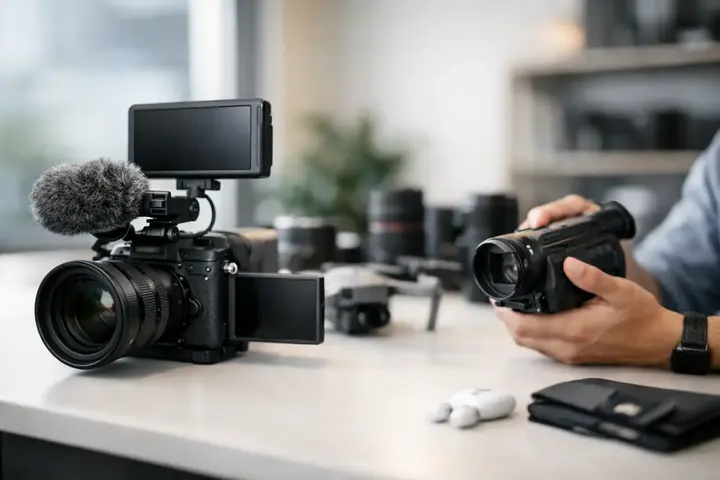
Before choosing a video camera, it is worth asking yourself not one, but three questions: what will you film, where will you do it, and how quickly does the material need to be ready. This is exactly where a good video camera buying guide begins — not with megapixels or 8K promises, but with a real work scenario. A camera that works brilliantly for studio interviews may be inconvenient at events, while a model suited to vlogging will not always be a safe choice for commercial filming.
The video equipment market offers a wide selection, and specification tables often raise more questions than answers. That is why this article focuses on practical evaluation — how to understand which functions will truly affect your work and in which situations there is no point in overpaying for them.
In brief
- Evaluate cameras according to the real usage scenario — where, how, and how quickly the footage needs to be ready.
- Plan the budget as a kit: body + lens + audio + battery + light or stabilization.
- Prioritize reliable autofocus, audio connections, and stabilization before choosing a higher resolution.
What to choose for different tasks
| Task | Solution | Why |
|---|---|---|
| Vloggers and content creators | A compact hybrid camera with a flip screen, good autofocus, vertical shooting, and a portable kit with an LED light and wireless microphone. | Convenient use, fast file processing, and a good image for social networks matter more than maximum resolution. |
| Event filming | An APS‑C or full-frame camera with good low-light performance, two memory card slots, fast interchangeable lenses, and a wireless clip-on microphone system. | For events, reliability, long recording time, and secure audio capture are crucial. |
| Interviews and studio work | A camera with 10-bit recording, log profiles or ProRes support, an XLR solution or adapter for audio connections, and a quality light panel. | Quality color grading and professional audio are essential for commercial and brand content. |
| Traveling reporters and documentary filmmakers | A lightweight and durable system with good built-in stabilization, replaceable batteries, fast storage solutions, and access to a gimbal or tripod. | Mobility, long runtime, and stable handheld footage are decisive for field work. |
| Advertising and color correction projects | A camera with 10-bit/4:2:2 recording, All‑I or higher-quality codecs, timecode, and broad lens support. | These projects require maximum flexibility in color correction and professional recording formats. |
Video camera buying guide by use case
If you film rarely and mainly for personal projects, the most important criteria are usually ease of use, reliable autofocus, and good image stabilization. In that case, a compact camera or a hybrid camera with video capabilities will often be a more logical choice than a large cinema system with complex equipment.
For content creators and small teams, priorities change. Here, the ergonomics of a flip screen, microphone input, USB charging, stability during continuous recording, and fast file handling become important. If the camera will be used for social media content, vertical format, face detection, and quality 4K are often much more important than maximum bitrate.
At a more professional level, the choice is determined by the working environment. Event filming requires good performance in low light, two memory card slots, and reliable battery life. In commercial, interview, or studio work, 10-bit recording, log profiles, timecode support, or a full-size HDMI port may be more important. If you work in a team, the camera is only one part of the system, and compatibility with audio, lights, monitors, and stabilizers becomes just as important as image quality.
Sensor, resolution, and image quality
One of the most common misconceptions is the belief that higher resolution automatically means better video. In practice, everything depends on how the material will be used. If the final format is social media, company video, or YouTube, a good 4K recording is sufficient in most cases. 6K or 8K gives more room for reframing and post-production, but it requires a more powerful computer, larger memory cards, and more thoughtful archiving.
Sensor size has a direct impact on the look of the image. Full-frame cameras generally offer better performance in low light and more pronounced background blur, but they are often more expensive both as bodies and in terms of lenses. APS-C and Micro Four Thirds systems tend to be more compact, more affordable, and more practical for everyday work, especially if weight or mobility is important. There is no single right answer — only suitability for a specific task.
It is also important to pay attention to the sensor readout method. If a camera films with a pronounced rolling shutter effect, fast pans or moving objects can look distorted. This is especially important in sports, events, and handheld work.
Autofocus, stabilization, and movement
In modern video work, autofocus often determines how reliable a camera will be in a real project. If you film alone, without a focus assistant, face and eye tracking is not a pleasant bonus — it is a practical necessity. Good autofocus reduces the number of unusable shots and speeds up filming.
At the same time, you need to look at how predictably the system behaves. Some cameras have fast but overly nervous autofocus, while others are calmer and more suitable for cinematic language. If you film interviews, product demonstrations, or talking-head content, this difference will be very noticeable.
Stabilization is the second critical point. Built-in sensor stabilization helps with handheld work, but it does not replace a gimbal or tripod in situations where consistently smooth movement is needed. If you plan to film a lot while moving, you need to understand how the camera works with optically stabilized lenses and whether its digital stabilization crops the frame too aggressively.
Audio options are often decisive
Viewers sometimes forgive bad image. Bad sound — almost never. That is why a camera should not be evaluated separately from audio needs. At a minimum, there should be a microphone input and, preferably, a headphone output for monitoring. If you record interviews, events, or podcast-style videos, these connections are not secondary.
At a higher level, XLR compatibility becomes important, either via an adapter or a dedicated handle or audio module. This allows you to work more reliably with professional microphones and reduces the risk that the recording will be unusable due to noise, levels, or connection issues.
If a camera is chosen only on image parameters, the audio chain is often neglected. As a result, the budget is overspent on the body, but there are no funds left for a microphone, wireless system, or monitoring. In practical work, that is the wrong allocation of priorities.
Recording formats, 10-bit video, and post-production
Technical specifications often include terms like 8-bit, 10-bit, 4:2:0, 4:2:2, All-I, or Long GOP. If you do not plan to color-grade the material significantly, a simpler codec may be perfectly sufficient. But if you work with commercials, brand videos, green screen, or want flexibility in color correction, 10-bit recording gives significantly more room.
There are compromises here as well. A more advanced recording format means heavier files, more expensive cards, and greater demands on your editing computer. Therefore, there is no point in choosing the technically maximum option if your everyday workflow cannot handle it conveniently.
Also pay attention to recording limitations. Some models have overheating risks, while others have recording time limits in certain modes. If the camera is intended for long interviews, conferences, or ceremonies, these little details are no longer little.
Lens system and connections
The camera body is only the beginning. The purchase should be evaluated at the level of the whole system — which lenses are available, how much they cost, whether there is a wide selection for video work, and whether it will be easy to expand the kit in the future. Sometimes a more affordable body turns out to be more expensive in the long run because the choice of suitable lenses is limited.
In video work, wide-angle lenses for vlogging and interiors, versatile standard zoom lenses for events, and bright prime lenses for interviews or low-light work are especially useful. If you plan to film more professionally, also look at the convenience of manual focusing, focus breathing control, and a construction suitable for filters.
Among the connections, HDMI, USB-C, microphone input, headphone output, and often the ability to use an external recorder or monitor are important. It is the practical connections that determine whether the camera will fit smoothly into your workflow.
Budget should be planned as a kit, not just a camera
A good video camera buying guide always reminds you of one principle — the budget must not be spent only on the body. For the camera to work fully, you will usually need at least one suitable lens, a fast memory card, a spare battery, a microphone, and some stabilization solution. Many projects also add lights, a tripod, or a teleprompter.
That is why a cheaper camera with a well-balanced kit often delivers better results than an expensive body with compromises in all other positions. If you need equipment for a specific project or want to test the system before buying, renting can also be a sensible choice. It allows you to understand whether the camera truly matches your working style, rather than just looking good in a specification comparison.
When it is worth asking for advice before buying
If you are choosing between several models in a similar class, the differences usually lie not in advertising slogans but in details: menu logic, ergonomics, card format, heat control, autofocus performance in a specific situation. These are questions that are easiest to resolve before purchase, not after the first filming assignment.
That is why a specialized equipment center with consultation and rental options is often a safer partner than a place where the camera is only one of many product groups. The Master Foto approach here is practical — helping the customer choose a solution not only by price, but by the real use scenario.
The right camera is not the one with the longest feature list. The right camera is the one that lets you work quickly, predictably, and with quality that matches your project both today and a year from now.
Frequently asked questions
How do I choose a sensor size when buying a camera?
Choose the sensor size based on the intended use: a full-frame sensor offers better low-light performance and smoother background blur, but it also means higher costs and larger lenses. If mobility or budget matters, APS‑C or Micro Four Thirds may be the more practical choice.
Do I need 10-bit recording?
10-bit recording is valuable if you plan serious color correction, green screen work, or commercial projects. If your work is mainly social media video or fast content creation without extensive post-production, an 8-bit solution is often sufficient.
How important is sound quality compared with image quality?
Sound quality is often even more important than the image, because viewers rarely accept bad audio. Make sure the camera supports an external microphone and has a headphone output for monitoring; professional needs require an XLR solution.
Will built-in stabilization replace a gimbal?
Built-in sensor stabilization helps a lot when filming handheld, but a gimbal still provides smoother and more professional motion. If you plan a lot of dynamic shooting or tracking shots, the investment in a gimbal will be noticeable.
How should I plan my budget when buying a camera?
Plan the budget as a complete kit, including lenses, microphone, extra batteries, memory cards, and basic lighting or stabilization. A cheaper camera with a full kit often delivers better results than an expensive body without the necessary accessories.
When should I seek advice before buying?
If you are choosing between several cameras in a similar class, the differences are in ergonomics, autofocus behavior, heat management, and connectivity. A consultation with a specialized store or a rental trial will help you choose the solution that truly fits your workflow.
Useful links
- Wireless clip-on microphones — Hollyland LARK MAX 2 Combo - A solution for stable audio in interviews and event filming, which is mentioned in the article as an important element.
- Boya wireless clip-on microphone BOYALINK 2 Wireless - Suitable for content creators and vloggers when the focus is on a lightweight and reliable wireless audio solution.
- LED VLOG light (category) - The article emphasizes the importance of lighting for content creation and vlogging — this category helps choose suitable lights.
- LED light panels (category) - For interviews and studio work, more stable light panels are recommended — this category contains suitable solutions.
- Video cables, wires (category) - Given the need for HDMI/USB‑C connections for external monitors and recorders, quality cables are practically important.
- Zhiyun gimbals — Smooth Q5 Ultra - The article mentions the need for a gimbal if you plan to film a lot while moving — this product is an example of a stabilization solution.