Нет товаров
 Facebook
  Google
- Напишите свой отзыв
PANASONIC GH5/GH4 FIRMWARE UPDATE V-LOG


 Помощник на основе искусственного интеллекта
или спросите
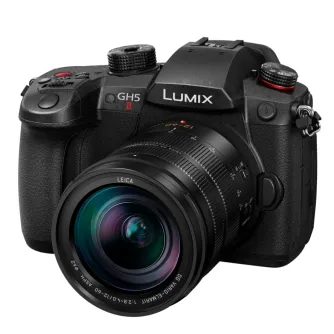
Paid Software Upgrade Service of DMC-GH4/GH5 For V-Log L Video Recording
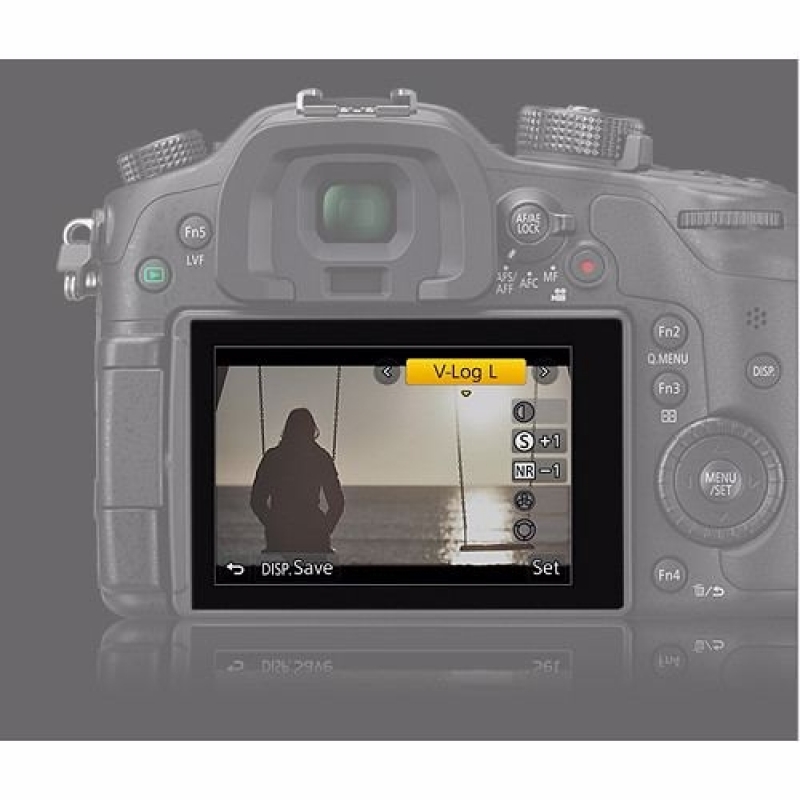
In response to the demand of film production market, Panasonic offers paid software upgrade service for the Digital Single Lens Mirrorless (DSLM) camera DMC-GH4/GH5 to comply with V-Log L video recording. With a purchase of Upgrade Software Key DMW-SFU1 and the camera's firmware update Ver.2.3, users can activate the function on DMC-GH4/GH5.
Log recording offers exceptional flexibility as well as wider dynamic range for color grading in post-production process. V-Log / V-Log L have been developed to feature similar characteristic curve to Cineon which is a characteristic curve of film digitalization. Taking full advantage of Four Thirds sensor, V-Log L boasts the log characteristic with 12 stops. Both V-Log and V-Log L have the same characteristic curve and LUT (Look Up Table) can be utilized in common.
V-Log L Activation Procedure Outline
- Purchase Upgrade Software key DMW-SFU1.
- Update the GH4/GH5 firmware
- Export the serial number of GH4/GH5 to the SD Memory Card as "SERIAL.LST" file.
- Upload the "SERIAL.LST" file together with the purchased Upgrade Software Key to the designated URL to get an activation code as "ACTIVE.LST" file.
- Write the "ACTIVE.LST" on the SD Memory Card to import it to GH4/GH5.
- Confirm that V-Log L is available in Photo Style on GH4/GH5.
*For more detailed information to activate this function, please refer to the installation guide bundled in the Upgrade Software Key DMW-SFU1.
Похожие продукты

Panasonic Premium Panasonic Lumix GH7 Body with Leica 12-60mm /2,8-4,0 OIS...
Panasonic Premium Panasonic Lumix GH7 Body with Lumix 12-60mm F3.5-5.6...