0 Item Items 0 Item - € 0.00
Shopping Cart Preview
No products
Pick up in store Shipping
€ 0.00 Tax:
€ 0.00 Total tax included
Product successfully added to your shopping cart
Quantity
Total tax included
There are 0 items in your cart. There is 1 item in your cart.
Total products :
Total shipping : Pick up in store
Tax: € 0.00
Total tax included :
 Facebook
  Google
Photo & video store, rental and expert advice
- Write a review
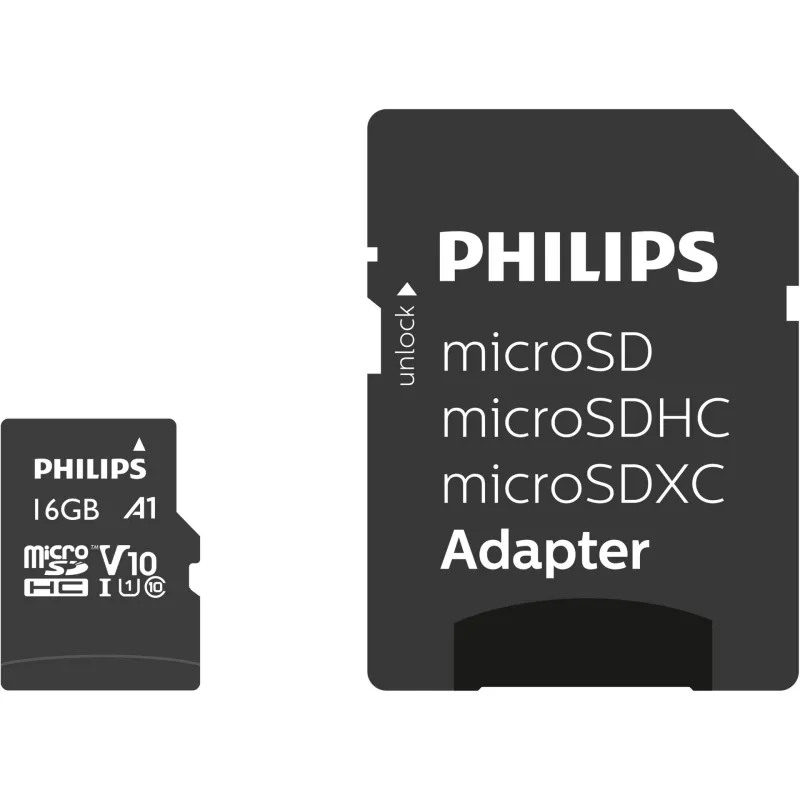
Philips 16GB MicroSDHC UHS-I Class 10 card with 80 MB/s read speed, ideal for Full HD video.
Philips MicroSDHC Card 16GB Class 10 UHS-I U1
Product ID: 60201


SKU: 60201
Ean: 8719274669074
Condition: New product
Manufacturer: Philips
Discover related products
Discover related products
 AI ASSISTANT CHAT
This is the beta version of our new assistant chat, capable of answering both standard and advanced questions about product and store operations.
Or ask about:
What are the features? Is this in stock? Actual discounts & offers? Product reviews?
| Type of Product | Memory Cards |
| Standard for capacity | SDHC |
| UHS Speed Class | U1 |
| UHS Bus interface | UHS-I |
| Video Speed Class | V10 |
| Card type | MicroSD |
| Memory card speed | 80 MB/s |
| Speed class | Class 10 |
| Capacity | 16 GB |
Product details
Overview
The Philips 16GB MicroSDHC UHS-I Class 10 memory card provides reliable storage and sufficient performance for recording and playing Full HD video and capturing high-resolution photos. It supports the UHS-I interface, has a V10 video rating, and offers maximum read speeds of up to 80 MB/s, all housed in a compact black case.
Advantages
- The FM16MP45B/00 combines Class 10 and UHS Speed Class 1 (U1) speeds, ensuring stable recording for video.
- The V10 certification is suitable for Full HD.
- Its 16GB capacity allows you to store approximately 4,500 photos or approximately 160 minutes of Full HD video.
- Read speeds of up to 80 MB/s accelerate file transfers and ensure smooth playback.
Suitable for
- Action and compact video cameras for recording in Full HD
- Smartphones and tablets for storing photos and videos
- Portable gaming devices and recorders with microSDHC support
Key Features
- Capacity: 16 GB
- Card type: MicroSDHC
- Memory class: Class 10
- UHS interface: UHS-I (U1)
- Video class: V10
- Read speed: up to 80 MB/s
- Color: black
- Weight: 0.025 kg
- Part Number (MPN): FM16MP45B/00
- EAN: 8719274669074
How to use
Insert the microSDHC card into your device's slot or use an adapter for a standard SD slot. Before first use, format the card in the device itself to ensure compatibility and optimal performance. If necessary, select the microSD card as the default storage location for photos and videos in the device settings.








