No products
 Facebook
  Google
- Write a review
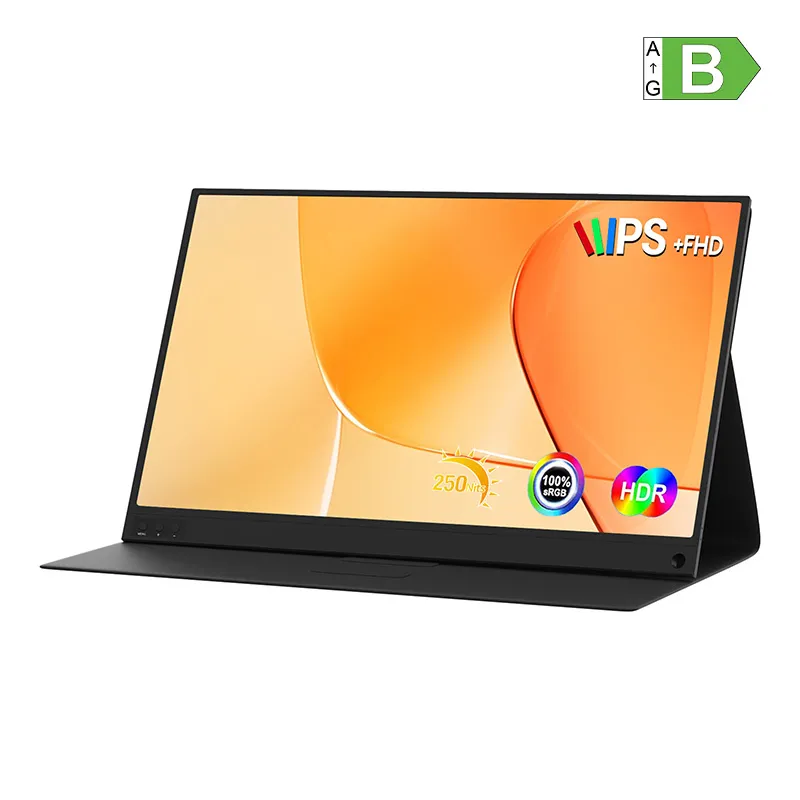
ZEUSLAP P15AT Portable Monitor with a 15.6 Touchscreen


 AI ASSISTANT CHAT
Or ask about:
| LCD monitors | monitors |
| LCD monitors | AC adapter |
| LCD monitors | HDMI cable |
| Barošana | no tīkla |
Display Features
The ZEUSLAP P15AT portable monitor offers a 15.6-inch IPS LCD touchscreen with Full HD resolution of 1920 × 1080 pixels. It provides wide 178° viewing angles, 250 cd/m² brightness, and an 800:1 contrast ratio. The display covers 66% of the sRGB color gamut and 47% NTSC, with a 6-bit color depth supporting 262,000 colors, suitable for general use but not for professional color-critical work.
Design and Portability
The monitor has a slim profile measuring approximately 355 × 224 × 10 mm and weighs 650 g alone or about 1,010 g including the protective case that doubles as a stand. Its metal construction enhances durability, making it ideal for mobile use and frequent transport.
Connectivity and Compatibility
Connectivity options include USB-C ports supporting Thunderbolt and Power Delivery for simultaneous video and power transmission, mini HDMI for connecting consoles and other devices, and Micro USB. The monitor supports HDCP 1.4 for Full HD streaming content playback. Included cables ensure compatibility with a wide range of devices such as laptops, smartphones, and gaming consoles.
Performance and Usage
The 3 ms response time allows smooth handling of dynamic visuals, beneficial for gaming and multimedia. The touchscreen functionality enhances navigation, especially when paired with smartphones or touch-enabled systems. The monitor can serve as a secondary display to expand workspace or mirror smartphone screens for improved app usability.
Additional Features
- Built-in stereo speakers (2 × 1 W) for basic audio output.
- VESA mounting holes for installation on mounts or arms.
- Power adapter supporting standard PD profiles: 5V/3A, 9V/2A, 12V/1.5A.
Package Contents
- ZEUSLAP P15AT Monitor
- AC Adapter
- USB-C to USB-C Cable
- USB-A to USB-C Cable
- Mini HDMI to HDMI Cable
- Micro USB to USB Cable
- User Manual








