No products
 Facebook
  Google


- Write a review
DNP Digital Dye Sublimation Photo Printer DP-QW410


 AI ASSISTANT CHAT
Or ask about:
| Type of Product | Photo Printer |
| Printers | Sublimation |
| Maximum photo format, cm | 10x15 |
| Maximum photo format, cm | 11x20 |
- 1. Evaluate your options.
- 2a. If you want to buy only one product with Aizdevums.lv leasing, then fill out the application here
- 2b. If you want to buy several items or use another leasing company, then put the items in the basket and choose the leasing service when ordering.
We offer leasing from Aizdevums SIA, Incredit SIA, ESTO.
Manager will check the availability of the items in the cart and send the loan application link. - 3. If you receive a positive response, contact us to purchase the product. Consultants will check the availability of the product.
- 4. If the product is available in the store or to be ordered from the warehouse, and you have received an affirmative answer from our consultants, please visit the store to proceed with purchase and leasing documents.
- 4a. You can also ask us to issue an invoice for this product and visit one of the leasing company branches to sign up leasing documents *..
- 5. Once the leasing documents have been signed up, you can receive the product in the store, if it is on site or inform our consultants and they will order it for you from the warehouse.
- *It is possible to arrange delivery for leased goods, so you can also perform the entire purchase process remotely.
**The sequence of leasing steps is the same for leases offered by InCredit Group.
***In case of doubt, contact our consultants!
When using leasing services, carefully evaluate your options to repay the loan!Lease
Compact Design
The DNP DP-QW410 is the most compact dye sublimation photo printer in DNP's lineup, with a height of only 19.8 cm, allowing it to fit in almost any location. Its dimensions are 24 cm (depth) x 20.8 cm (width) x 19.8 cm (height), and it weighs just 6 kg.
Print Quality and Speed
This printer produces borderless photos at 300 x 300 dpi resolution. It can print a 10x15 cm photo in just 18 seconds using dye sublimation technology, ensuring consistent print counts as specified on the media box (220 prints for 11x20 cm or 300 prints for 10x15 cm).
Media and Formats
The QW410 supports multiple print sizes and media types, including:
- 10x15 cm, 10x10 cm, 5x10 cm
- 11x20 cm, 11x11 cm, 5x11 cm
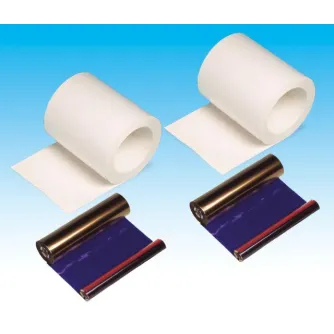
Both standard and premium papers are available. Premium paper is heavier and offers deeper black tones. Media options include:
- Product 670506: Premium, 300 prints, sizes 10x15 cm, 10x10 cm, 5x10 cm
- Product 670507: Standard, 300 prints, sizes 10x15 cm, 10x10 cm, 5x10 cm
- Product 670508: Premium, 220 prints, sizes 11x20 cm, 11x11 cm, 5x11 cm
- Product 670509: Standard, 220 prints, sizes 11x20 cm, 11x11 cm, 5x11 cm
Photo Strip Printing
The printer can produce three 5x10 cm photos from a single 10x15 cm print if sent as one print job. If one or two photos are sent, the printer duplicates them to reach three photos per print. This allows printing up to 450 photos of 5x10 cm size per media roll, in sets of three copies each.
Print Finishes and Features
- Supports both matte and gloss finishes without changing paper, adjustable via settings.
- Includes a watermark function to overlay custom text or logos using matte and gloss finishes on the same photo, accessible through special DNP software.
- Optional flat photo printing prevents curled paper, extending print time by approximately 4 seconds.
Connectivity and Compatibility
- Connects to computers via USB Type-B port (cable not included).
- Includes a USB Type-A port to power external devices such as smartphones, tablets, or keyboards (5V DC, 2.0A).
- Compatible with Windows and macOS (macOS support via Hot Folder Print software version 1.2.13 or newer).
- Upcoming Wireless Connect Module will enable direct printing via Apple AirPrint from iPhone, iPad, and macOS devices.
- Software Development Kit (SDK) will be available for integration with custom software.
Automated Printing
The QW410 supports Hot Folder Print, allowing automated printing by monitoring a designated folder on Windows or macOS computers. Photos placed in this folder are printed immediately with pre-selected settings, ideal for events and photobooth applications.
Durability and Protection
Printed photos are laminated with a strong protective layer, making them resistant to water, dust, UV radiation, and fingerprints.
Warranty
The printer comes with a two-year warranty, which expires earlier if 30,000 prints are made within that period.
Related Products

KUPO KS-525 1-7/8 (O.D.) 48MM X10(250MM) LONG ALUMINUM TUBE W/ DOUBLE KS-525
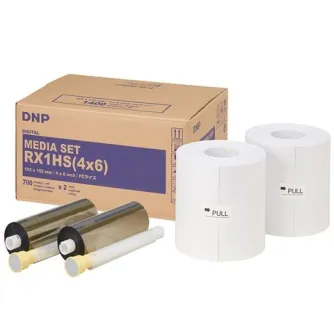
DNP Standard Paper DSRX1HS-4X6HS 2 Rolls 700 Prints 10x15 for DS-RX1HS