No products
 Facebook
  Google


- Write a review
Pixel-Tech IdPhotos Pro Software


 AI ASSISTANT CHAT
Or ask about:
| Type of Product | Accessories for printers |
| Printers | Inkjet |
- 1. Evaluate your options.
- 2a. If you want to buy only one product with Aizdevums.lv leasing, then fill out the application here
- 2b. If you want to buy several items or use another leasing company, then put the items in the basket and choose the leasing service when ordering.
We offer leasing from Aizdevums SIA, Incredit SIA, ESTO.
Manager will check the availability of the items in the cart and send the loan application link. - 3. If you receive a positive response, contact us to purchase the product. Consultants will check the availability of the product.
- 4. If the product is available in the store or to be ordered from the warehouse, and you have received an affirmative answer from our consultants, please visit the store to proceed with purchase and leasing documents.
- 4a. You can also ask us to issue an invoice for this product and visit one of the leasing company branches to sign up leasing documents *..
- 5. Once the leasing documents have been signed up, you can receive the product in the store, if it is on site or inform our consultants and they will order it for you from the warehouse.
- *It is possible to arrange delivery for leased goods, so you can also perform the entire purchase process remotely.
**The sequence of leasing steps is the same for leases offered by InCredit Group.
***In case of doubt, contact our consultants!
When using leasing services, carefully evaluate your options to repay the loan!Lease
Idphotos Pro U0026trade; is an advanced, yet easy-to-use software tool designed for the automatic imaging process of ID photos. Through this imaging process, the software ensures that the specific national and international requirements and regulations are met.
Overview
- Automatic detection of facial and biometric features and the correction thereof
- Available in 6 different languages: English, German, Italian, French, Spanish, and Dutch
- Suitable for both adults and children
- Ready-made templates for identity documents such as passports, visas, and driver's licenses
- Over 150 ID photo formats from more than 70 countries
- Can be used with all digital cameras, photo printers, and minilabs
- Fully customizable print layout
Software and Printer Combinations
If you wish to purchase a DNP printer as well as the IdPhotos Pro software, please search article number 2001 or 2002 to obtain a combination discount.
Plenty of Possibilities
The software offers plenty of interesting business opportunities. IdPhotos Pro enables you to mix ID photos onto one page, combine a number of ID photos with a larger ID photo, or have an official and cheerful photo on the one print. With over 50 standard page templates and the possibility to create and customize your own layouts, the possibilities are endless.
What do you need
- A computer or laptop on which the software can be installed
- A printer to print the ID photos. We recommend the DNP DS-RX1HS
- A camera to take the photos with. We recommend the Canon EOS 800D
- A background system with a grey background roll
- A studio flash unit and a diffuse ball
- An ID photo cutter (35 x 45mm)
Limitations ID Photos Pro
The program only works on Windows computers. Use on macOS is not possible unless you configure Bootcamp yourself. ID Photos Pro works with any photo printer that can be used under Windows. We recommend a Canon EOS camera due to the easy connection with EOS Utility. Use in combination with a Canon EOS 2000D or 4000D is not possible, as they cannot control studio flash.
Installation
- We offer our customers the ability to install the software remotely on their computer. If you do not wish to have the software installed by us, we will send you an email with a link for the software download and a license code.
- After the installation, the internet is no longer necessary, so you can use the software in locations where no internet is available.
- Updates for the software can be installed free of charge for up to 1 year after purchase of the software.
- The software is supplied with a 1-year warranty.
Languages
You can set ID Photos Pro in the following languages:
- English
- Dutch
- German
- French
- Turkish
System Requirements
IdPhotos Pro has no specific requirements and can be installed on almost any modern Windows computer.
- Microsoft Windows 7, 8, and 10
- Minimum Screen Resolution 1024 x 768, 24 bit Colour
- Processor: Intel Core 2 Duo or AMD 2, 2GHz or Higher (with SSE2 Technology)
- Internal Memory: Minimum 2 GB RAM
License
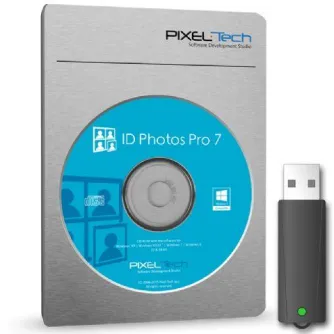
The license for IdPhotos Pro 8 is valid for one computer only. If you wish to use the software on more than one computer, it is possible to purchase the license dongle.
Transferring the Software
It is possible to transfer your software from one computer or laptop to another. To do so, please follow these simple steps:
- Deactivate the license on your old PC via the deactivation button located in the top left menu.
- Write down the deactivation code and keep it in a safe place.
- Activate the license on your new PC via the activation button located in the bottom right-hand side of the IdPhoto software screen. You will need your current license code to do this.
- During the reactivation process, you will be asked for your deactivation code. Only with this code will you be able to reactivate your license.